1.2.2 Testing ROS
ROS includes some demo programs that can be used to verify whether the ROS environment is functioning correctly.
- First, open three terminal windows (Ctrl + Alt + T)
- Terminal 1: Type
roscore - Terminal 2: Type
rosrun turtlesim turtlesim_node(a graphical window will pop up) - Terminal 3: Type
rosrun turtlesim turtle_teleop_key(use arrow keys in Terminal 3 to control the turtle's movement in Terminal 2)
The final result should appear as shown below:
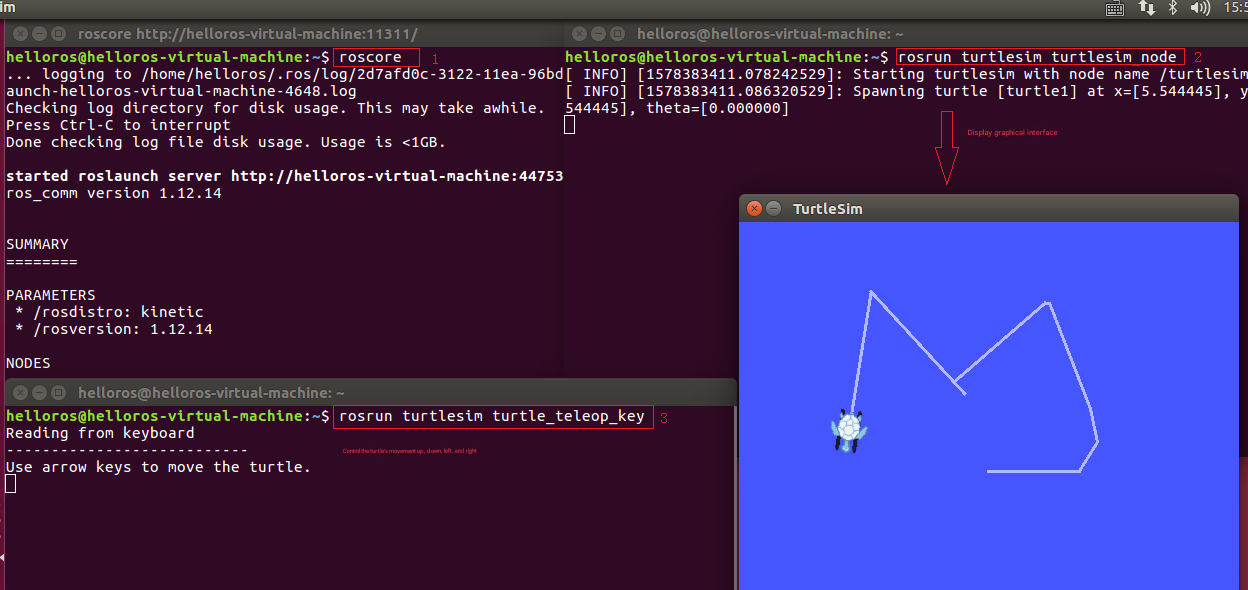 Note: The cursor must be focused on the keyboard control window; otherwise, the turtle cannot be controlled.