1.4.1 Terminal Installation
In ROS, terminals need to be used frequently, and it may be necessary to open multiple windows simultaneously. A recommended and quite useful terminal is: Terminator. The effect is as follows: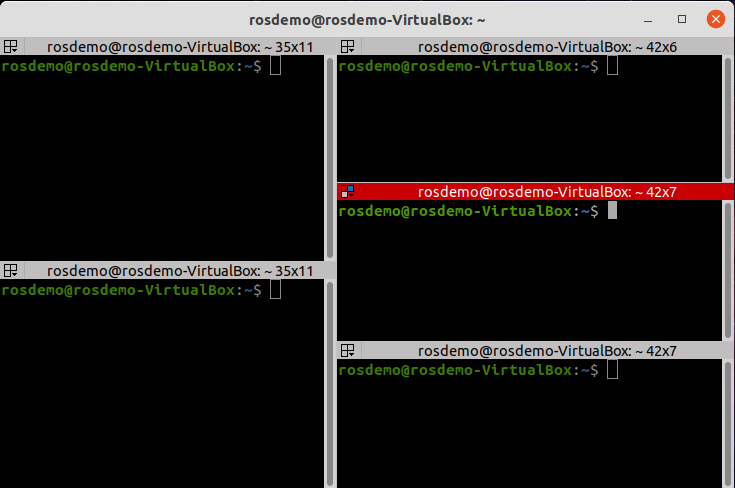
1.Installation
text
sudo apt install terminator2.Add to Favorites
Show Applications ---> Search for terminator ---> Right-click and select "Add to Favorites"
3.Common Terminator Shortcut Keys
Part 1: Operations within the same tab
Alt+Up                          //Move to terminal above
Alt+Down                        //Move to terminal below
Alt+Left                        //Move to left terminal
Alt+Right                       //Move to right terminal
Ctrl+Shift+O                    //Split terminal horizontally
Ctrl+Shift+E                    //Split terminal vertically
Ctrl+Shift+Right                //Move splitter right in vertically split terminals
Ctrl+Shift+Left                 //Move splitter left in vertically split terminals
Ctrl+Shift+Up                   //Move splitter up in horizontally split terminals
Ctrl+Shift+Down                 //Move splitter down in horizontally split terminals
Ctrl+Shift+S                    //Hide/show scrollbar
Ctrl+Shift+F                    //Search
Ctrl+Shift+C                    //Copy selected content to clipboard
Ctrl+Shift+V                    //Paste clipboard content here
Ctrl+Shift+W                    //Close current terminal
Ctrl+Shift+Q                    //Quit current window (all terminals in current window will be closed)
Ctrl+Shift+X                    //Maximize current terminal
Ctrl+Shift+Z                    //Maximize current terminal and zoom font size
Ctrl+Shift+N or Ctrl+Tab        //Move to next terminal
Ctrl+Shift+P or Ctrl+Shift+Tab  //Move to previous terminal
Part 2: Operations between different tabs
F11                             //Toggle fullscreen
Ctrl+Shift+T                    //Open new tab
Ctrl+PageDown                   //Move to next tab
Ctrl+PageUp                     //Move to previous tab
Ctrl+Shift+PageDown             //Swap current tab with next tab
Ctrl+Shift+PageUp               //Swap current tab with previous tab
Ctrl+Plus (+)                   //Increase font size
Ctrl+Minus (-)                  //Decrease font size
Ctrl+Zero (0)                   //Reset font size to original
Ctrl+Shift+R                    //Reset terminal state
Ctrl+Shift+G                    //Reset terminal state and clear screen
Super+g                         //Group all terminals (input entered in one goes to all)
Super+Shift+G                   //Ungroup terminals
Super+t                         //Group all terminals in current tab
Super+Shift+T                   //Ungroup terminals in current tab
Ctrl+Shift+I                    //Open new window sharing same process
Super+i                         //Open new window with separate process